Introduction
AI Agents are rapidly evolving beyond simple chat interfaces. Today, they can browse websites, interact with applications, extract information, and complete complex workflows on behalf of users.
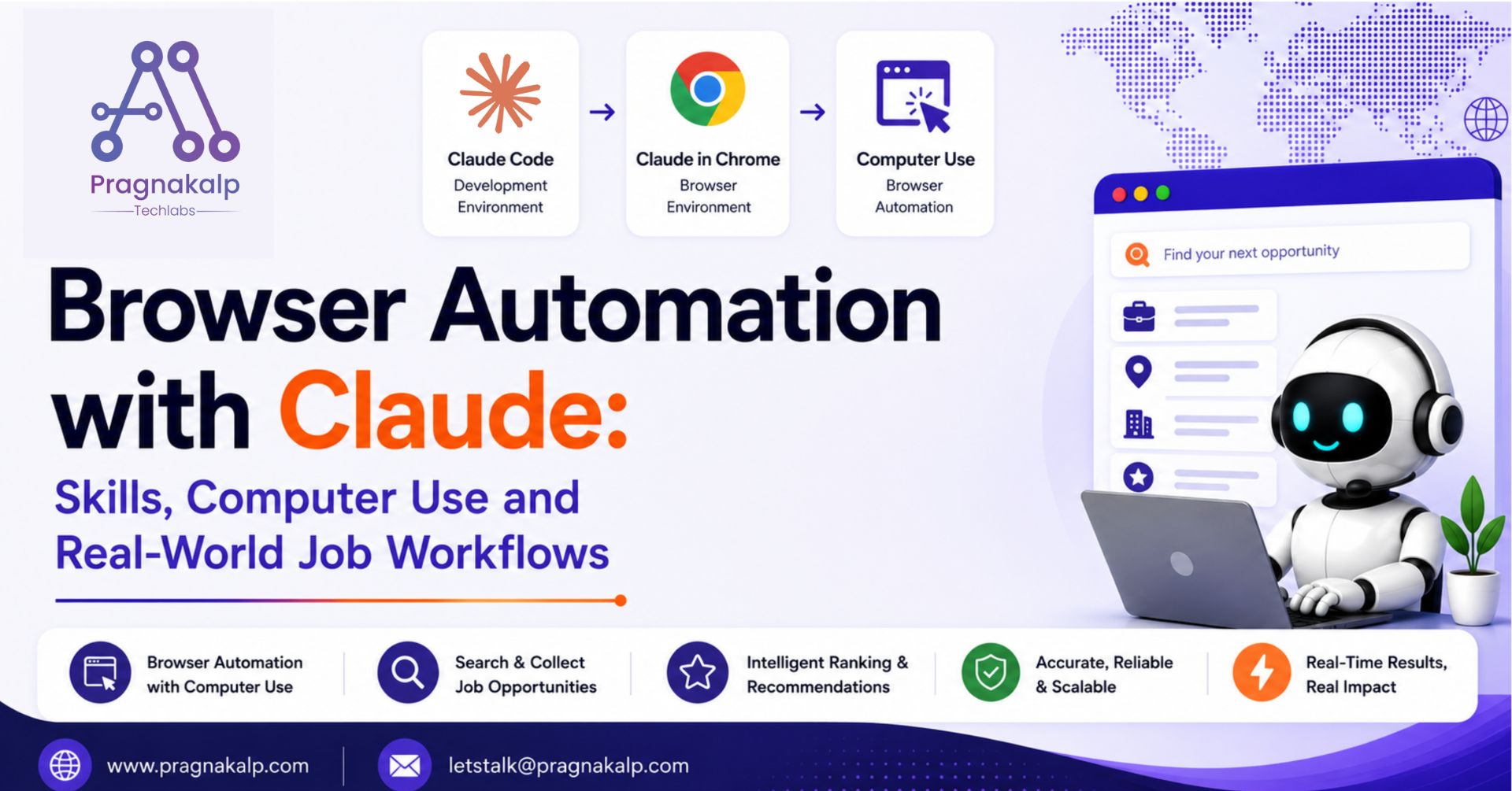
Anthropic’s ecosystem introduces powerful capabilities such as Claude Skills, Claude Code, Claude in Chrome, and Computer Use, enabling developers to build intelligent browser automation workflows using natural language instructions.
Instead of manually navigating websites, searching for information, and compiling results, users can simply describe what they need. The AI agent can then determine the required actions, interact with websites, collect information, and return structured results.
To explore these capabilities, we implemented a workflow that helps users discover and evaluate job opportunities across multiple job platforms. By combining Claude Skills with Claude in Chrome and Computer Use, the workflow can search websites, extract structured information, and provide personalized recommendations automatically.
While this implementation focuses on job search, the same architecture can be applied to market research, lead generation, competitor analysis, product comparison, inventory lookup, and many other browser automation use cases.
What Are Claude Skills?
Claude Skills allow you to package reusable instructions, workflows, and expertise into dedicated capabilities that Claude can invoke when needed.
Instead of repeatedly explaining how to perform a task, you can create a skill that contains:
- Task instructions
- Workflow definitions
- Examples
- Best practices
- Output formats
This allows Claude to perform specialized tasks consistently and efficiently.
Claude in Chrome and Computer Use
A key part of this implementation is the combination of Claude in Chrome and Computer Use, which enables Claude to interact with websites and perform browser-based tasks.
Claude in Chrome brings Claude directly into the browsing experience, allowing it to work alongside users while navigating web applications. Computer Use extends this capability by enabling Claude to interact with web pages through actions such as clicking buttons, entering text, scrolling, opening links, and extracting information.
Together, these capabilities allow Claude to execute multi-step workflows that would traditionally require custom browser automation scripts.
In our implementation, Computer Use was responsible for searching job platforms, navigating search results, extracting job information, and returning structured data for further analysis. This allowed the skills to focus on decision-making and ranking while browser interactions were handled automatically.
By combining AI reasoning with browser automation, Claude can transform simple natural language requests into complete end-to-end workflows.
Claude Code as the Development Environment
This workflow was implemented using Claude Code, which provides a flexible environment for creating and managing custom Claude Skills. Instead of relying on Skills configured in the Claude web application, the Job Search and Job Ranking skills were developed and executed directly within Claude Code.
The implementation was built and tested using Claude Sonnet 4.6, which handled requirement analysis, skill adaptation, job evaluation, and recommendation generation throughout the workflow.
Now that we’ve covered the core capabilities, let’s look at how they work together in our job discovery workflow.
Workflow Architecture
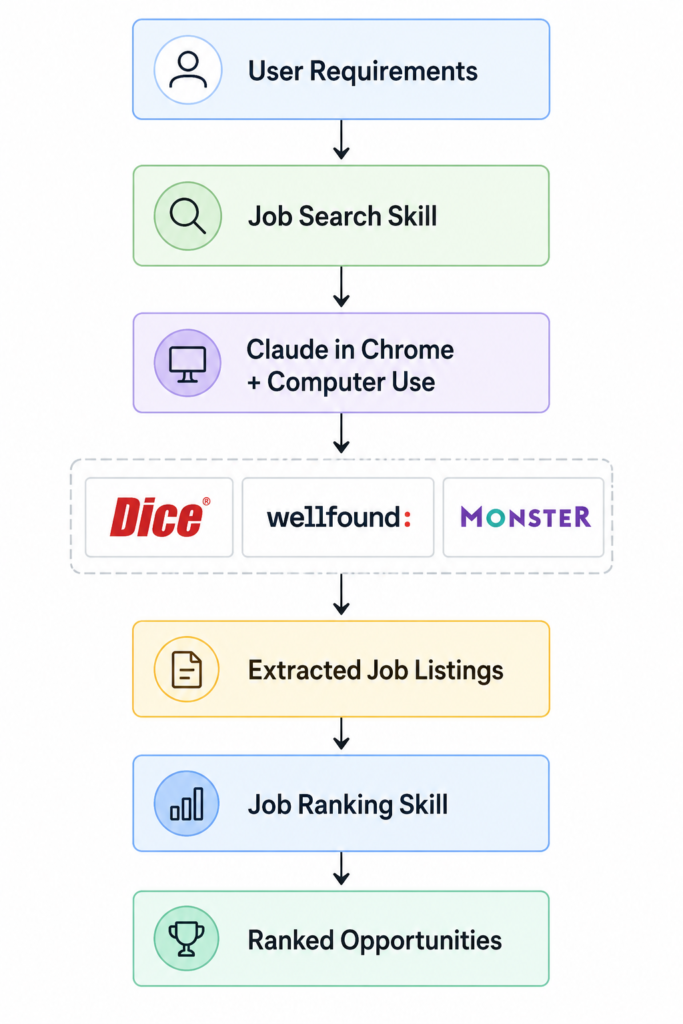
The solution is built around two independent Claude Skills working together to automate the job discovery process.
The Job Search Skill is responsible for collecting job opportunities from multiple platforms, while the Job Ranking Skill evaluates those opportunities against the user’s requirements and identifies the most relevant matches.
Claude in Chrome and Computer Use handle the browser interactions required to search websites, navigate pages, and extract job information. The collected data is then passed to the ranking skill for analysis and recommendation.
High-Level Architecture
How the Workflow Operates
The workflow begins when a user provides their job requirements, including details such as skills, experience, preferred location, employment type, and salary expectations.
The Job Search Skill uses these requirements to search multiple job platforms and collect relevant opportunities. Using Claude in Chrome and Computer Use, the workflow navigates search results and extracts important job information in a structured format.
Once the job listings are collected, the Job Ranking Skill analyzes each opportunity and compares it against the user’s requirements. Based on factors such as skill alignment, experience match, location preferences, and salary expectations, the jobs are ranked and the most suitable opportunities are returned to the user.
This two-step approach separates data collection from evaluation, making the workflow easier to maintain and extend to other browser automation use cases.
Adding Skills to Claude
Before running the workflow, the Job Search and Job Ranking skills were added to Claude and configured within the project.
For this implementation, we created two custom skills: Job Search and Job Ranking. After adding them to the project, Claude could automatically invoke the appropriate skill during the workflow.
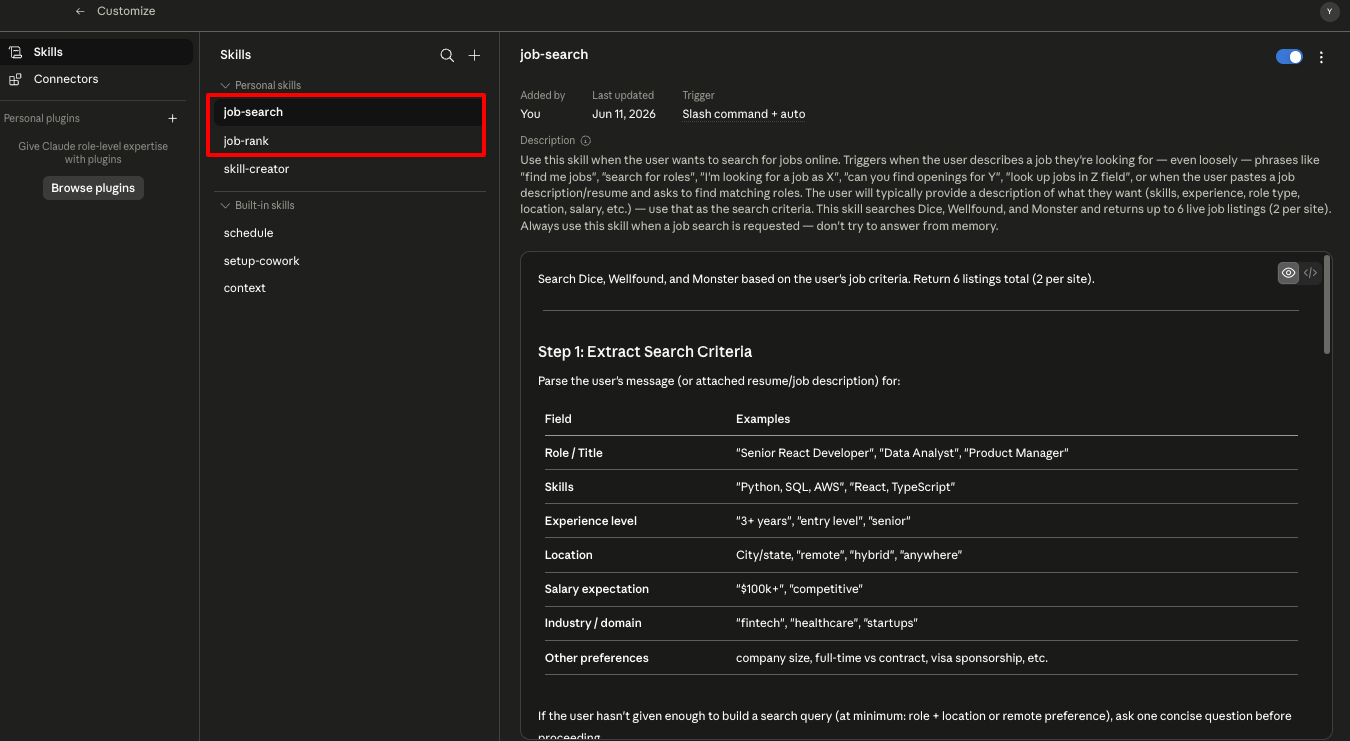
Job Search and Job Ranking skills configured within Claude Code for automated workflow execution.
Workflow Execution
To validate the workflow, we tested it using a Full Stack Developer job search across multiple job platforms.
Step 1: Searching Job Platforms
The Job Search Skill received the user’s requirements and used Claude in Chrome and Computer Use to navigate job platforms and search for relevant opportunities.
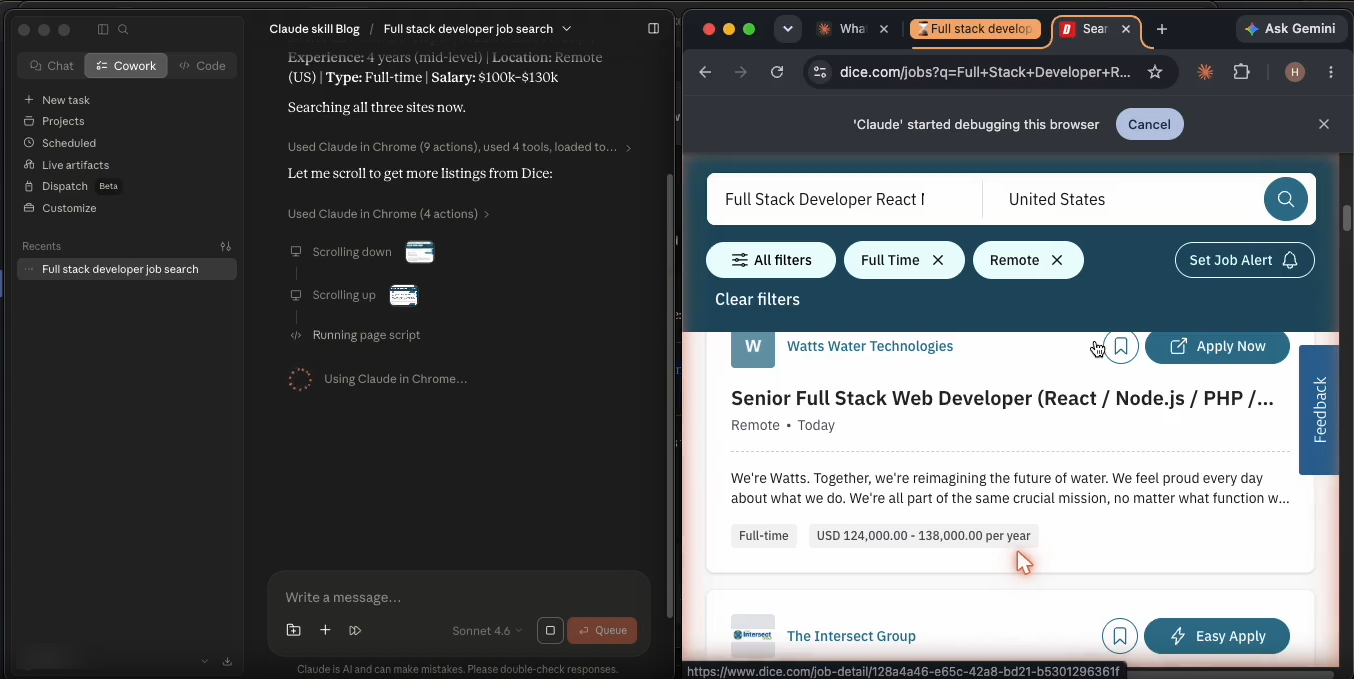
Claude uses Computer Use to navigate Dice, apply filters, and identify relevant Full Stack Developer opportunities.
The workflow automatically entered the search criteria, navigated the results page, and extracted relevant job information.
After gathering results from Dice, the workflow continued across additional platforms such as Wellfound and Monster to collect a broader set of opportunities.
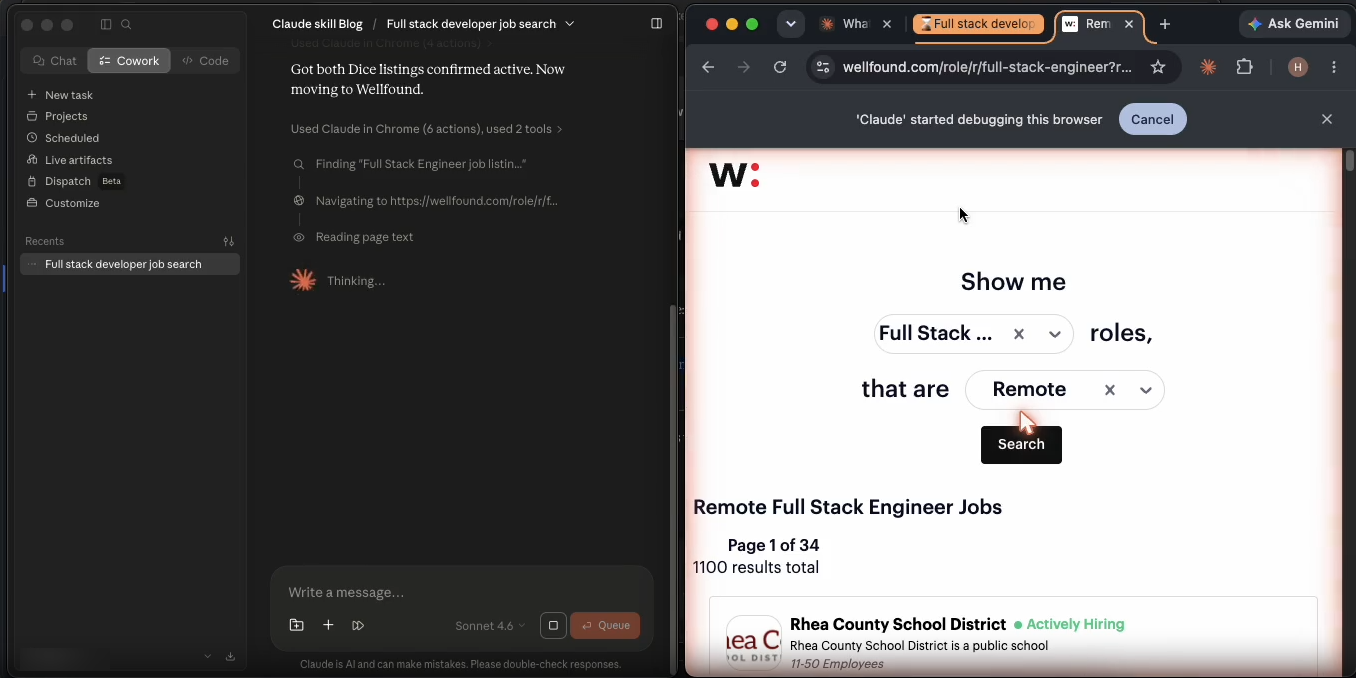
Claude continues the search on Wellfound, collecting additional opportunities from startup-focused job listings.
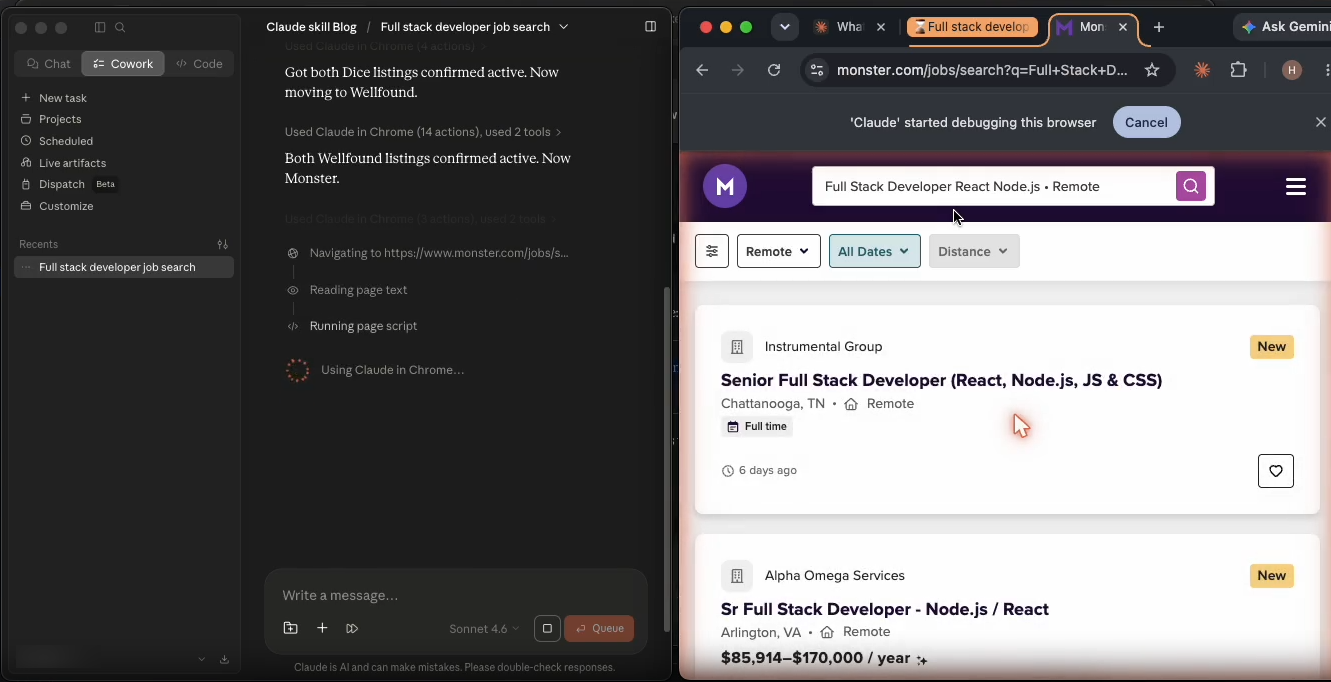
Claude continues the search on Monster, collecting additional opportunities
Once the search process was complete, the Job Search Skill collected six relevant job opportunities across Dice, Wellfound, and Monster. The consolidated results included key information such as job title, company, location, salary details, and job links, providing a clean and consistent input for the ranking process.
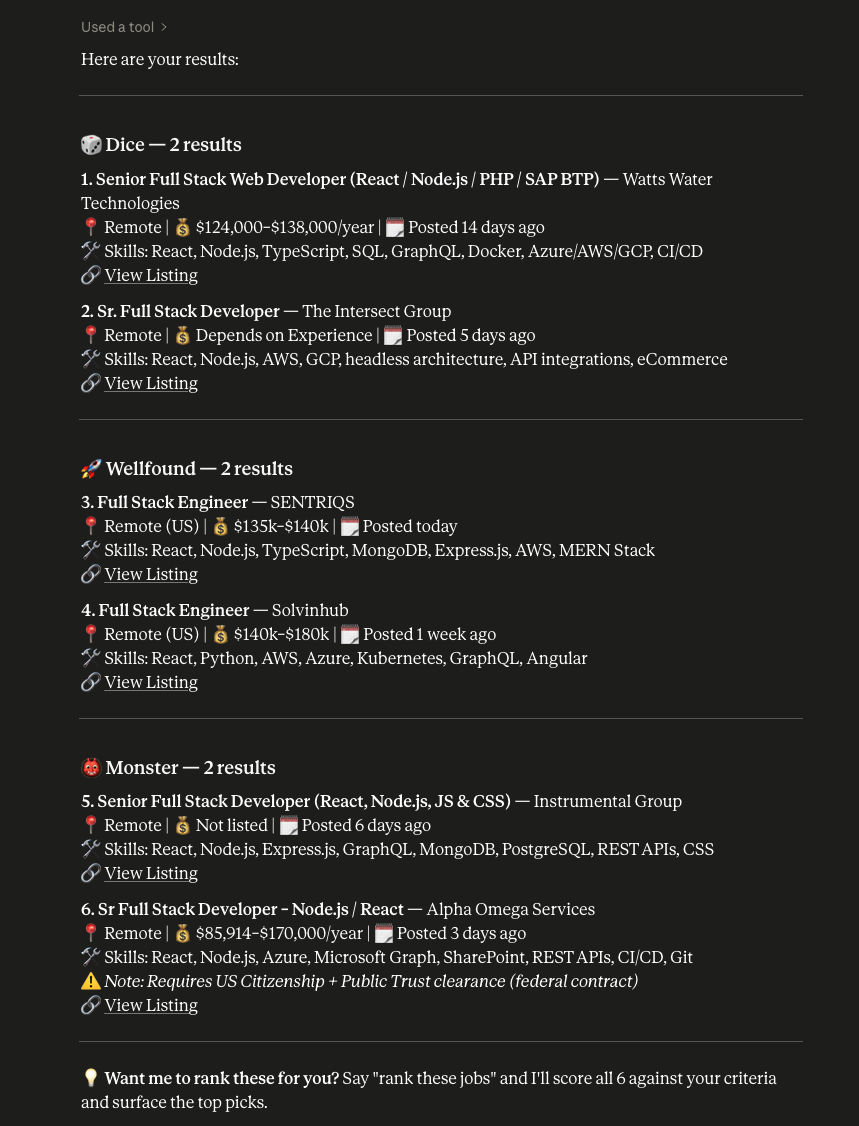
Job opportunities collected from multiple platforms and consolidated into a structured output.
Step 2: Ranking the Results
Once the job listings were collected, the Job Ranking Skill evaluated each opportunity against the user’s requirements, including skills, experience, location preferences, employment type, and salary expectations.
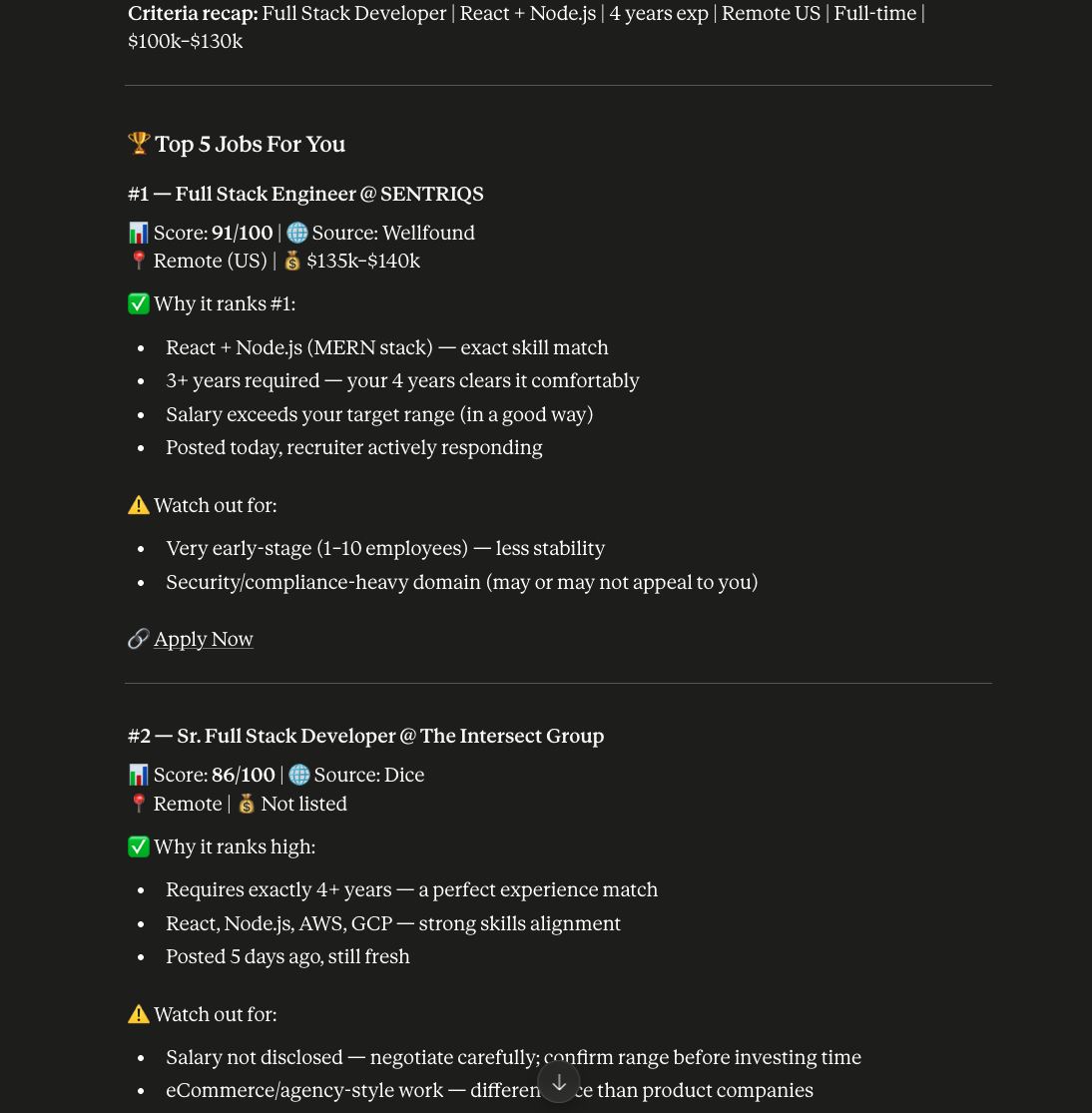
The Job Ranking Skill evaluates collected opportunities and ranks them based on user requirements.
Instead of returning a list of jobs, the workflow produced ranked recommendations along with reasoning, helping users quickly identify the most relevant opportunities.
The complete workflow successfully combined browser automation with AI-driven analysis, demonstrating how Claude Skills can automate both information gathering and decision-making tasks.
Demo Video
Sample Input
I’m a Full Stack Developer with 4 years of experience in Python, Django, React, and PostgreSQL. I’m looking for a remote full-time role in a SaaS company with a salary range of $100k–$130k.
The following demo shows the complete workflow in action, including job discovery, data extraction, and ranking.
Beyond Job Search
While this implementation focuses on job discovery and ranking, the same architecture can be applied to many browser automation workflows.
Any process that involves searching websites, collecting information, and analyzing results can benefit from Claude Skills, Claude in Chrome, and Computer Use. Examples include market research, competitor analysis, lead generation, product comparison, and authenticated website automation.
By combining browser interaction with AI reasoning, Claude can automate both information gathering and decision-making across a wide range of use cases.
Conclusion
Claude Skills, Claude in Chrome, Computer Use, and Claude Code provide a powerful foundation for building intelligent browser automation workflows.
In this blog, we explored how these capabilities can be combined to automate job discovery and evaluation using a two-skill architecture. The Job Search Skill was responsible for collecting opportunities from multiple job platforms, while the Job Ranking Skill analyzed and prioritized those opportunities based on user requirements.
As browser-based AI agents continue to evolve, combining Claude Skills with Computer Use opens new possibilities for automating workflows that traditionally required significant manual effort. From job discovery to business research, the same architecture can be adapted to a wide range of real-world automation scenarios.