Organizations often receive client information and requirements through Slack messages, emails, PDFs, Word documents, and other files. Converting this information into professional client documents typically involves several manual steps, including extracting client details, creating CRM contacts, finding the appropriate document template, preparing the document, reviewing it, making changes, and finally sending it to the client.
As the number of clients and requirements increases, this manual process becomes time-consuming and can lead to duplicate CRM records, inconsistent documents, incorrect templates, and delays in client communication.
Recent advancements in Artificial Intelligence (AI) and Large Language Models (LLMs) make it possible to automate this entire workflow.
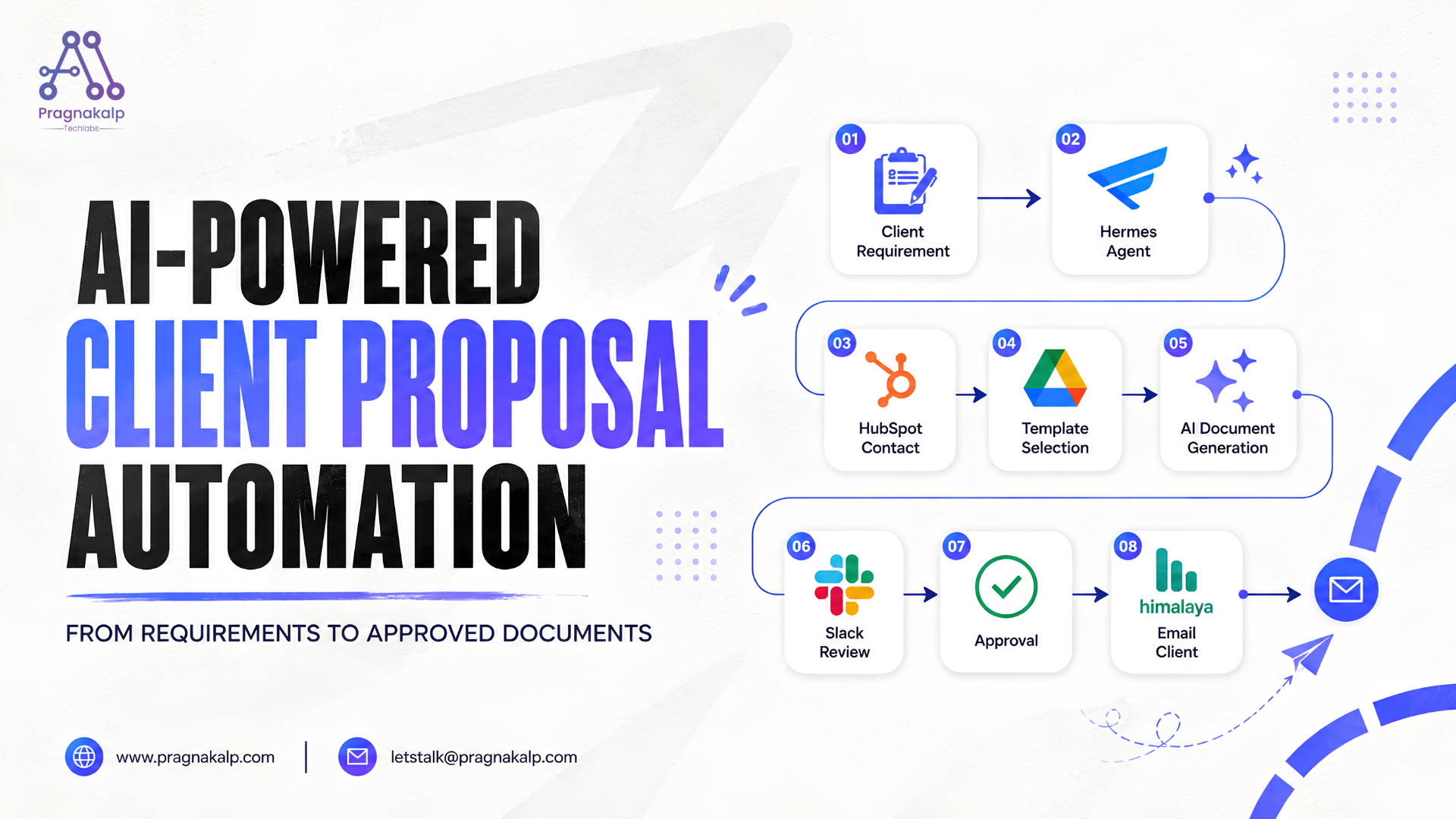
In this blog, we demonstrate how to integrate Hermes Agent, Slack,HubSpot, Google Drive, localtemplates, AI, and Himalaya to build an AI-powered client document automation workflow. The solution automatically extracts client information and requirements, creates the client contact in HubSpot, identifies the appropriate document template, generates a client-specific document, sends it to Slack for approval, and finally delivers the approved document to the client through email.
System Architecture and Workflow
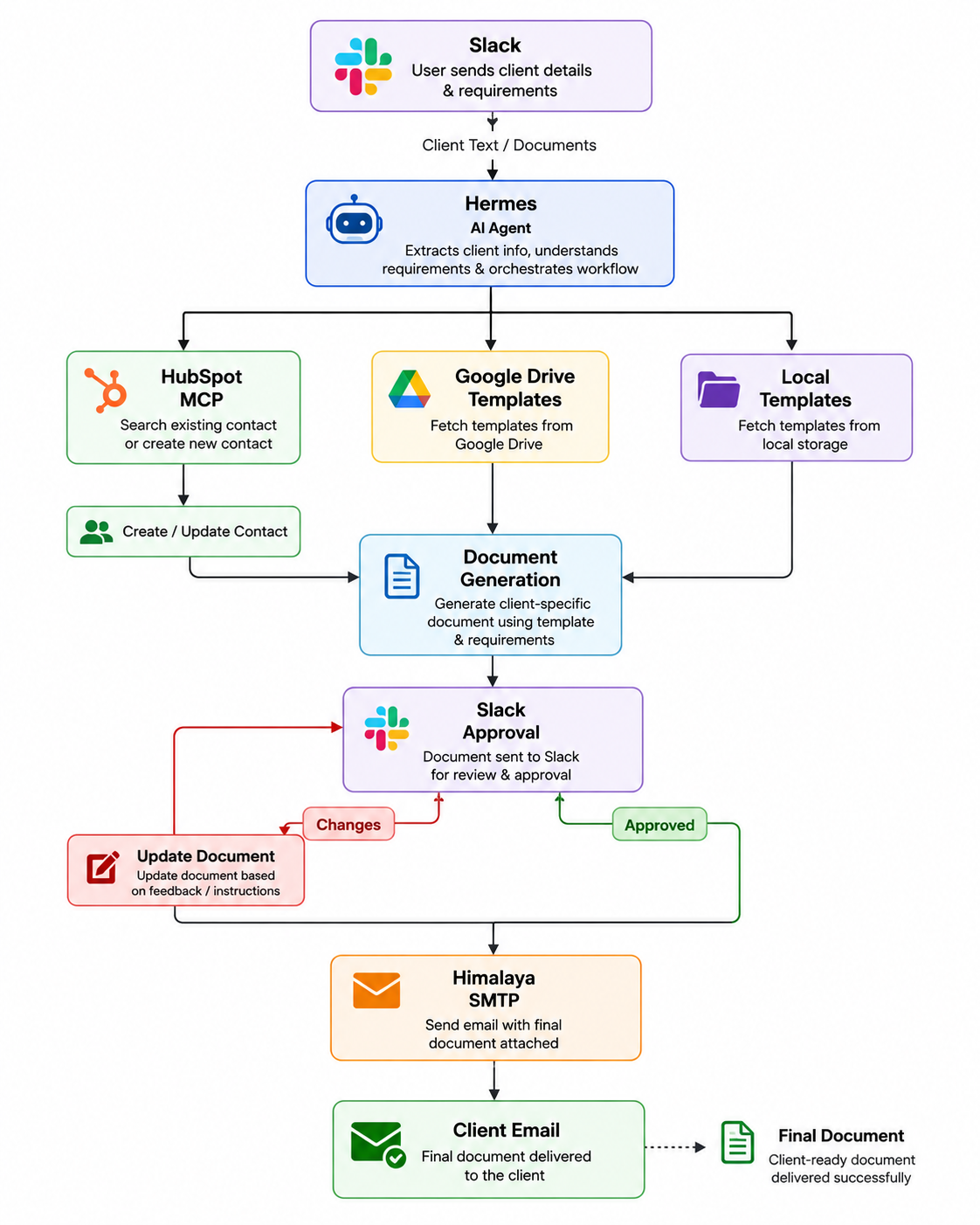
Our AI-powered Client Document Automation solution automates the complete process from receiving client requirements to delivering the final approved document.
Users simply send client details and requirements to Hermes through Slack. Hermes analyzes the input, interacts with HubSpot through MCP, retrieves the required template from Google Drive or local storage, generates the document, and sends it back to Slack for review.
Once the document is approved, Hermes sends the final document to the client through email.
Step-by-Step Workflow
Step 1 – User Sends Client Requirements in Slack
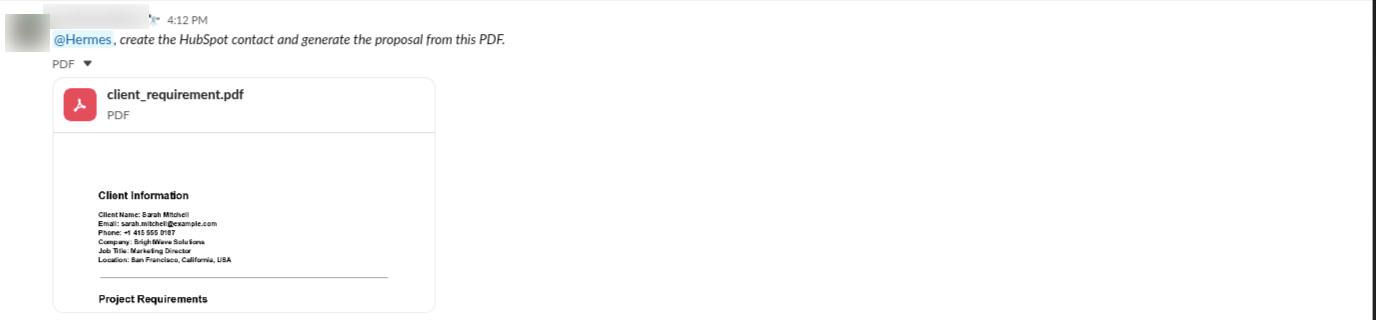
The workflow begins when a user sends client details and requirements to Hermes through Slack.
The information can be provided as:
Text
PDF
Word document
Other supported files
Example:
Step 2 – Hermes Extracts Client Information
Hermes analyzes the incoming message or document and identifies the relevant client information and business requirements.
For example:
Client Details
Name: Sarah Mitchell
Company: ABC Technologies
Email: sarah@abc.com
Requirement
AI-powered customer support solution
CRM integration
Implementation proposal
Hermes uses this extracted information for the next steps of the workflow.
Step 3 – HubSpot Contact Management
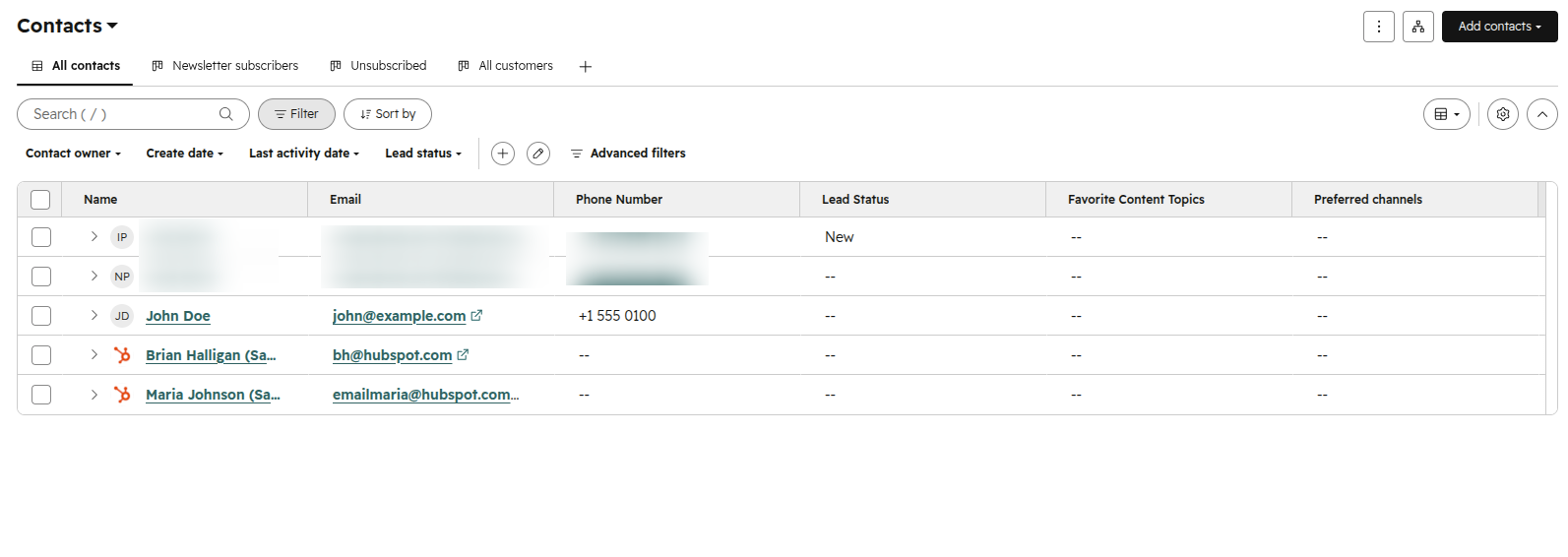
After extracting the client details, Hermes connects to HubSpot through an MCP integration. Hermes uses the extracted information to create a new contact in HubSpot with the client’s details.
This automates CRM contact creation and ensures that client information is captured and stored in HubSpot as part of the workflow.
Step 4 – Template Discovery
Once the client information is processed, Hermes identifies the appropriate template based on the client’s requirements.
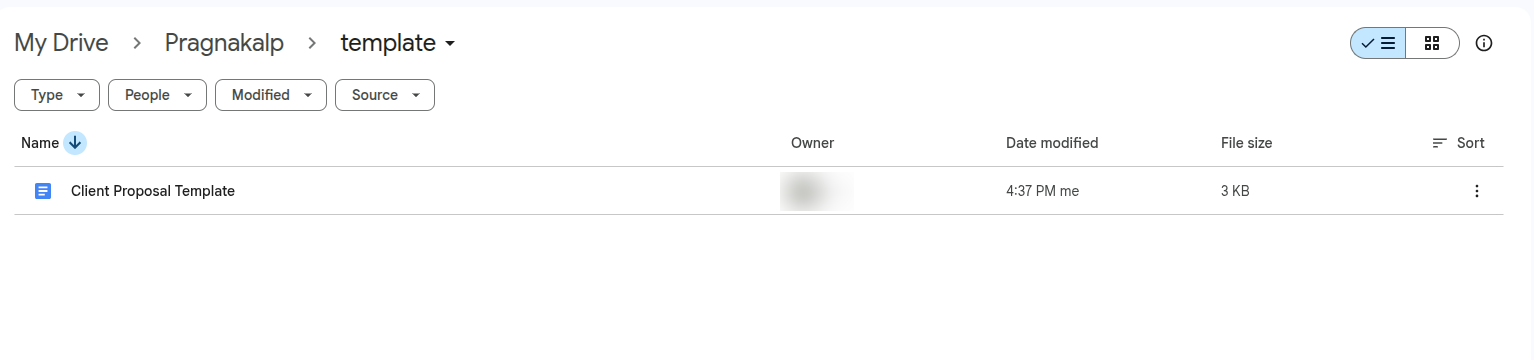
Templates can be stored in:
Google Drive
Local storage
For example, the available templates could include:
Proposal
Statement of Work
Contract
Business Agreement
Hermes determines which template is relevant to the client’s requirement and retrieves it for document generation.
Step 5 – Document Generation
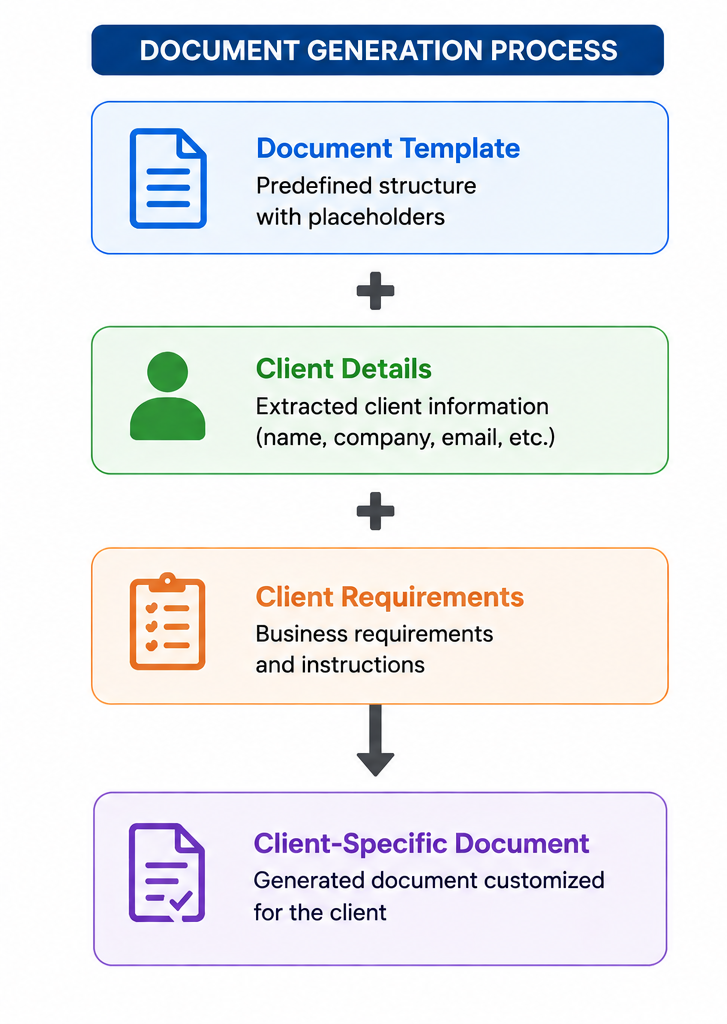
After selecting the appropriate template, Hermes combines the template with the extracted client information and requirements to generate a customized document.
The document generation process can be represented as:
This approach maintains a consistent document structure while automatically generating customized content based on each client’s information and requirements.
Step 6 – AI-Powered Content Generation
AI is used to understand the client’s requirements and generate relevant content within the selected template.
The AI can help generate sections such as:
Project Overview
Requirements
Scope of Work
Support Details
Other requirement-specific sections
Instead of manually writing the document from scratch, the system uses the client’s requirements to create a structured, client-specific document.
Step 7 – Document Review in Slack
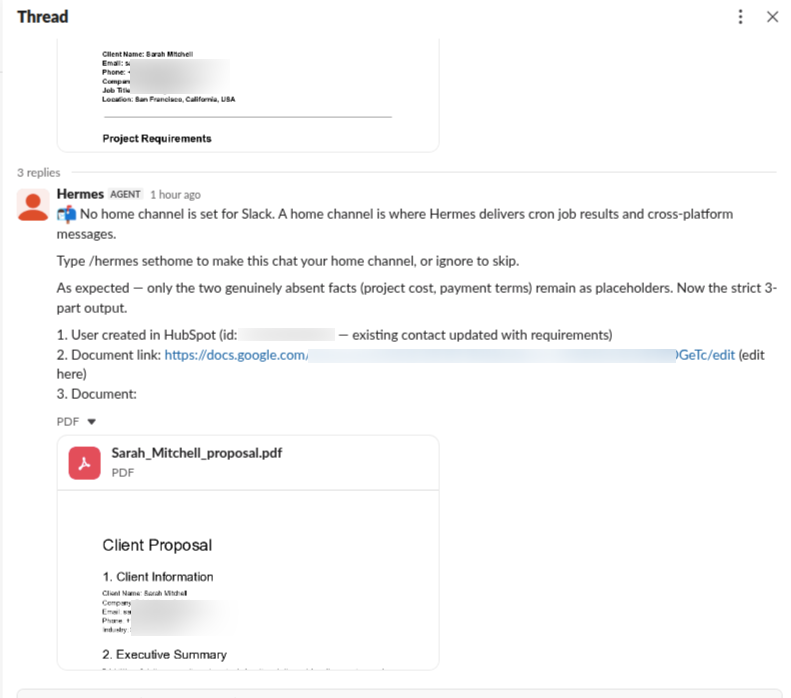
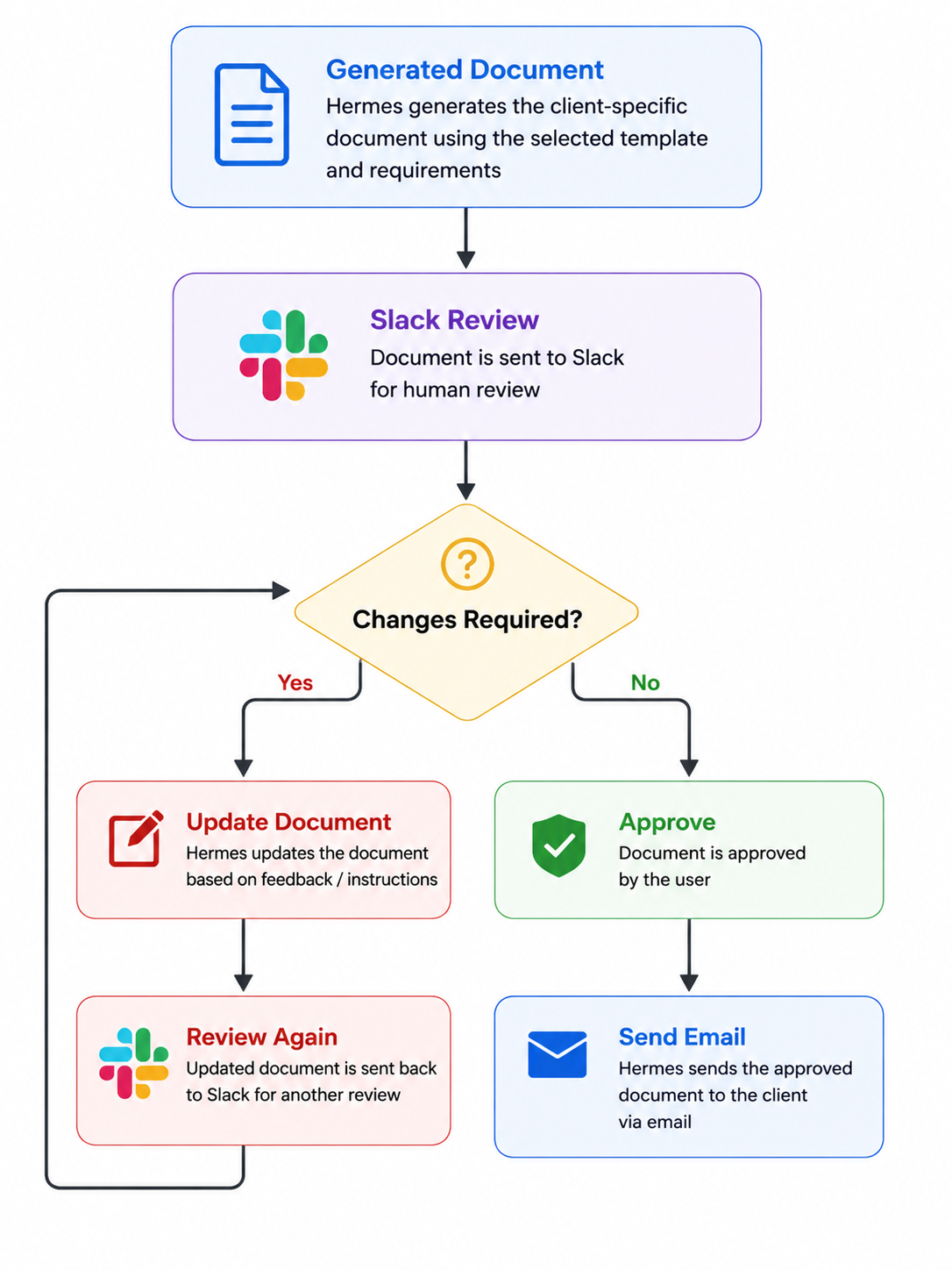
After generating the document, Hermes sends it back to Slack for human review.
Example:
Document generated successfully. Please review the proposal and approve it for sending.
This introduces a Human-in-the-Loop approval process.
The document is not immediately sent to the client. The user gets an opportunity to review the generated content before external delivery.
Step 8 – Handle Document Changes
If changes are required, the user can provide instructions directly in Slack.
For example:
Add a three-month implementation timeline and update the support section.
Hermes processes the instruction and updates the document.
The updated document is then returned to Slack for another review.
Users can also use the provided document link to manually make changes when required.
The workflow continues until the user is satisfied with the final document.
Step 9 – Final Approval
Once the user confirms that the document is ready, Hermes proceeds with the final delivery.
For example:
Approved. Send it to the client.
The approval acts as the final checkpoint before the document is sent externally.
This ensures that AI-generated content is reviewed by a human before being delivered to the client.
Step 10 – Automated Email Delivery
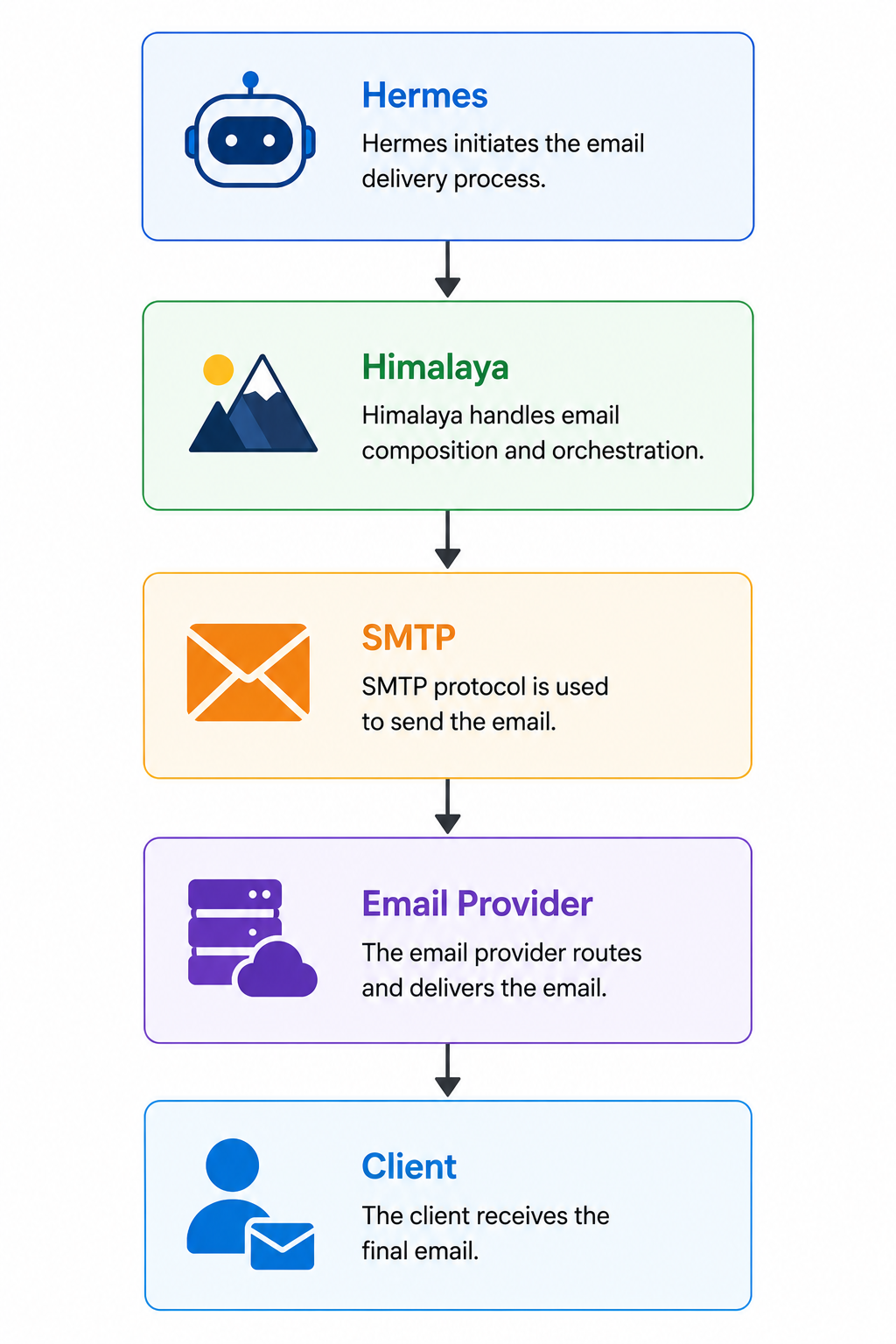
After approval, Hermes uses Himalaya to send the final document to the client.
Himalaya acts as the email client, while SMTP is used for sending the email.
The workflow is:
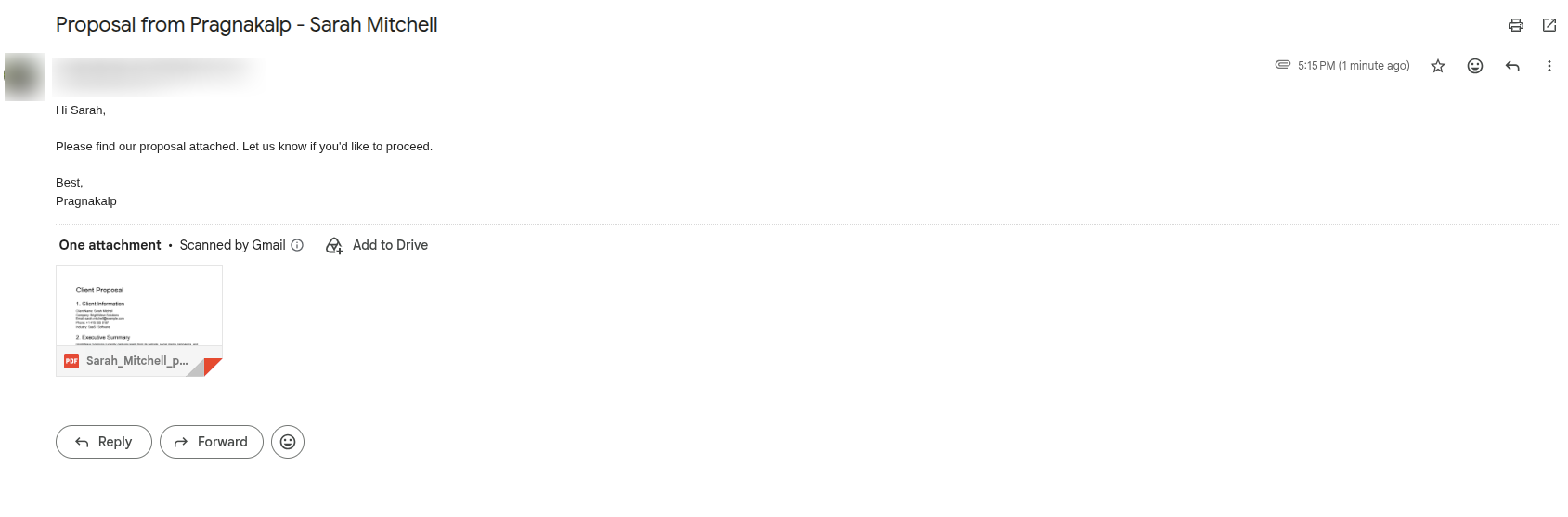
The approved document is attached to the email automatically.
Example:
To: sarah@abc.com
Subject: AI Customer Support Proposal
Attachment: ABC_Technologies_Proposal.pdf
The client receives the final approved document without requiring the user to manually download and attach the file.
AI-Powered Document Automation
Artificial Intelligence is the core of this workflow.
Instead of simply generating a document, Hermes understands the client’s information and requirements and coordinates multiple systems to complete the entire business process.
The AI-powered workflow enables organizations to:
Extract client information from text and documents
Create and manage CRM contacts
Identify the appropriate document template
Generate client-specific documents
Adapt document content to client requirements
Process document revision requests
Support human approval workflows
Automatically send approved documents to clients
This allows users to interact with the complete workflow through natural language in Slack.
Business Benefits
Our solution provides several business advantages:
Automated client information extraction
Reduced manual CRM data entry
Reduced duplicate contact creation
Faster document generation
Consistent document formatting using predefined templates
Automated template discovery
Natural language document revision
Human approval before client delivery
Automated email delivery with document attachments
Teams can spend less time performing repetitive administrative tasks and more time focusing on client communication and business activities.
Conclusion
Our AI-powered Client Document Automation solution demonstrates how Hermes Agent, Slack, HubSpot, Google Drive, local templates, AI, and Himalaya can transform a traditional manual document workflow into an intelligent, automated process.
Instead of manually creating CRM contacts, searching for templates, preparing documents, reviewing files, and sending emails, users can manage the complete workflow directly through Slack.
By combining AI-powered automation with CRM integration, document templates, human approval, and automated email delivery, organizations can create a more efficient, consistent, and scalable approach to client document management.