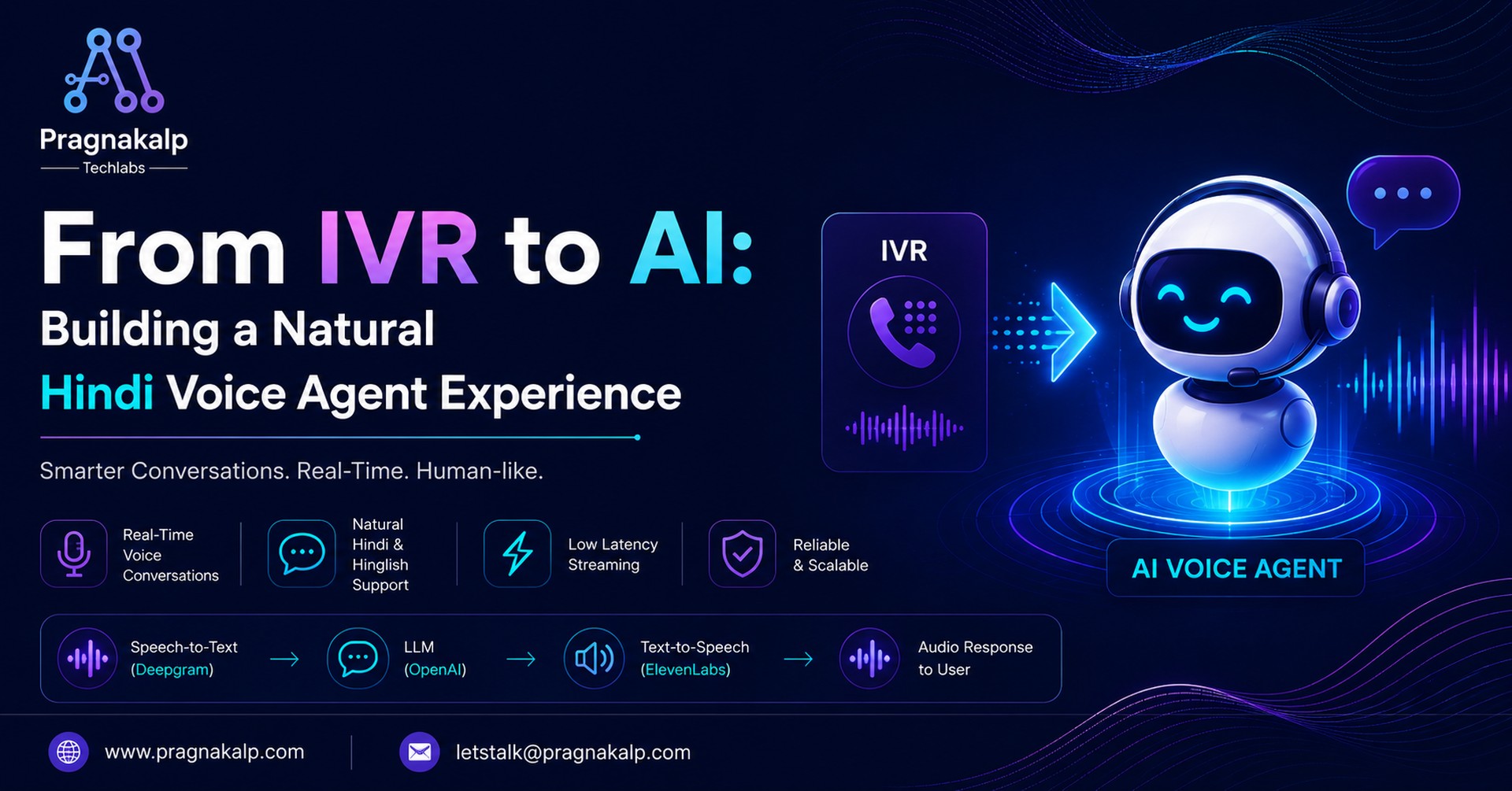
Artificial Intelligence is transforming how businesses interact with customers. In today’s fast-moving world, users expect instant support, natural conversations, and seamless experiences, not long wait times or complicated IVR menus.
This is where real-time AI voice agents are becoming a game-changer.
Modern voice AI systems can listen, understand, and respond in a human-like manner within seconds, creating conversations that feel natural and engaging. From customer support and appointment booking to sales and service automation, voice agents are helping businesses improve customer experience while reducing operational effort.
In this blog, we’ll walk through how we built a real-time AI voice agent using modern technologies like OpenAI, Deepgram, Django, and ElevenLabs. We’ll cover the architecture, streaming pipeline, multilingual Hindi support, and key challenges involved in creating low-latency conversational systems.
You’ll also get access to a complete repository that you can use to build and customize your own production-ready voice agent.
Why Real-Time Voice Agents Matter
People today expect technology to respond instantly and naturally. Nobody wants to navigate endless IVR menus, wait on hold, or type long messages just to complete simple tasks.
Instead of:
“Press 1 for support.”
Users can simply say:
“I want to book a car service appointment.”
And the system understands, responds, and continues the conversation naturally in real time.
Voice agents create a far more intuitive experience compared to traditional chatbots.
Traditional Chatbots | Real-Time Voice Agents |
|---|---|
User types messages | User speaks naturally |
Feels transactional | Feels conversational |
Requires screen attention | Hands-free interaction |
Higher friction | Faster and easier experience |
Why Hindi Voice Agents Are Important
One of the biggest opportunities in conversational AI is multilingual voice support, especially for regional languages like Hindi.
In India, many users are more comfortable speaking Hindi rather than English while booking services, asking questions, or interacting with support systems. Traditional IVR systems often fail to provide a natural multilingual experience, leading to frustration and poor customer engagement.
Modern AI voice systems can now understand and respond in Hindi in real time.
For example:
User:
“मुझे कार सर्विस की अपॉइंटमेंट बुक करनी है।”
Voice Agent:
“ज़रूर। आपकी गाड़ी का मॉडल क्या है?”
This creates a far more natural and accessible customer experience.
Handling Hinglish Conversations
One of the most interesting challenges in Indian conversational AI is handling Hinglish conversations.
Users naturally switch between Hindi and English during conversations:
“Kal morning service booking karni hai.”
or
“Meri car ka pickup available hai kya?”
A good Hindi voice agent should understand:
- Hindi
- English
- Mixed Hinglish conversations
- Different regional accents and pronunciations
Modern speech recognition and LLM systems are now becoming capable of handling these multilingual conversational patterns effectively.
Where Voice Agents Are Being Used
Real-time voice AI is rapidly growing across industries:
- Customer support automation
- Appointment booking systems
- Healthcare assistance
- Automotive and local services
- AI receptionists
- Sales and lead qualification
- Multilingual support experiences
- Banking and insurance assistance
- Restaurant and hotel booking systems
Businesses are adopting voice AI to improve customer experience while automating repetitive workflows.
Why Building Voice Agents Is Easier Today
A few years ago, building real-time voice agents required complex infrastructure and specialized engineering teams. Today, modern APIs and streaming frameworks have made development significantly easier.
In this project, we are using:
Technology | Purpose |
|---|---|
Django | Backend framework |
Django Channels | WebSocket handling |
Redis | Real-time channel layer |
Deepgram | Speech-to-text transcription |
Azure OpenAI | Conversational AI responses |
ElevenLabs | Text-to-speech generation |
WebSockets | Real-time streaming communication |
With these technologies, developers can now build production-ready voice agents in days instead of months.
Running the Voice Agent Locally
To demonstrate the architecture, we built a real-time AI voice agent for car service appointment booking using Django, WebSockets, Deepgram, Azure OpenAI, and ElevenLabs.
This voice agent handles complete car service appointment booking conversations through natural Hindi and Hinglish voice interactions. The flow includes greeting the user, collecting car details, asking for appointment date and time, and providing booking confirmation in real time.
The setup is intentionally simple so developers can quickly experiment, customize, and build on top of it.
Clone the Repository
First, clone the repository and move into the project directory:
					git clone <repo-url>

cd voice_agent
Create a Virtual Environment
Create a Python virtual environment:
python -m venv env
Activate it:
					# Linux / Mac
source env/bin/activate

# Windows
env\Scripts\activate
Install Dependencies
Install all required Python packages:
pip install -r requirement.txt
This installs Django, Channels, WebSocket dependencies, and all AI-related integrations required for the voice pipeline.
Configure API Keys
Create a .env file in the root directory and add your credentials:
					DEBUG = True
SECRET_KEY = "YOUR_SECRET_KEY"

DEEPGRAM_API_KEY= "YOUR_DEEPGRAM_API_KEY"
DEEPGRAM_VOICE_MODEL = "YOUR_DEEPGRAM_VOICE_MODEL"

ELEVEN_LABS_API_KEY = "YOUR_ELEVEN_LABS_API_KEY"
ELEVEN_LABS_VOICE_ID = "YOUR_ELEVEN_LABS_VOICE_ID"

# Azure OpenAI
AZURE_RESOURCE_NAME = "YOUR_AZURE_RESOURCE_NAME"
AZURE_DEPLOYMENT_NAME = "YOUR_AZURE_DEPLOYMENT_NAME"
AZURE_API_VERSION = "YOUR_AZURE_API_VERSION"
AZURE_MODEL_NAME = "YOUR_AZURE_MODEL_NAME"
AZURE_OPENAI_API_KEY =  "YOUR_AZURE_OPENAI_API_KEY"
Start Redis
Since the application uses Django Channels and WebSockets for real-time communication, Redis is required as the channel layer backend.
Start Redis locally:
sudo systemctl start redis
Run the Application
Start the Django server:
python manage.py runserver
Once the server starts, open:
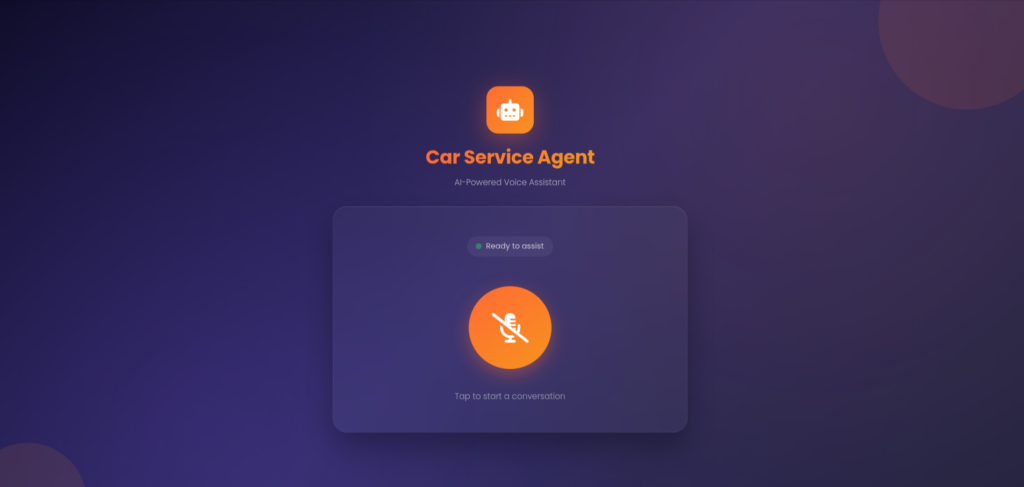
Allow microphone access and start speaking with the voice agent.
You’ll now have a fully working real-time conversational AI system capable of handling car service appointment booking through natural voice interactions.
Here is the recorded demo video showcasing the complete Hindi voice agent conversation flow for car service appointment booking.
Understanding the Core Components of a Voice Agent
A real-time voice agent is powered by three major AI components working together continuously:
1. Speech-to-Text (STT)
2. Large Language Model (LLM)
3. Text-to-Speech (TTS)
These components communicate in real time through WebSockets and streaming pipelines to create a natural conversational experience.
1. Speech-to-Text (STT)
Speech-to-Text converts the user’s voice into text that the AI system can understand.
In our project, we use Deepgram(Nova-3) for real-time streaming transcription. When the user speaks, the audio stream is sent continuously to Deepgram through WebSockets.
Deepgram processes the incoming audio and returns live transcripts in real time.
Why We Used Deepgram Nova-3
It provides:
- Low-latency streaming transcription
- Real-time interim results
- Good Hindi and Hinglish support
- Smart punctuation formatting
- Better conversational speech recognition
This helps create a faster and more natural conversational experience for users.
From our implementation:
					self.socket = await self.dg_client.transcription.live(
   {
       "sample_rate": 44100,
       "channels": 1,

       "multichannel": True,
       "punctuate": True,

       "model": settings.DEEPGRAM_VOICE_MODEL,
       "smart_format": True,
       "interim_results": True,

       "language": "hi"
   }
)
This configuration enables live Hindi transcription with punctuation and streaming responses.
2. Large Language Model (LLM)
Once the speech is converted into text, the transcript is passed to the LLM.
The LLM acts as the “brain” of the voice agent.
Its responsibilities include:
- Understanding user intent
- Maintaining conversational flow
- Generating intelligent responses
- Handling contextual conversations
- Producing human-like replies
In our implementation, the transcript is passed into the processing pipeline:
await self.process_gpt_response(utterance)
The system then prepares structured conversational data:
					data = {
   "user_query": transcript,
   "call_sid": self.session_id,
   "request_type": "web",
   "service_prompt": service_prompt,
   "bot_intro_message": bot_intro_message,
   "bot_name": bot_name,

"request_id": request_id,
}
This data is sent into the AI response pipeline:
					async for response in process_data(data):
client = get_azure_client()
       response = await client.chat.completions.create(
           model=settings.AZURE_DEPLOYMENT_NAME, messages=prompt, stream=True
       )
We have used Azure OpenAI with gpt-4o-mini model to generate intelligent conversational responses for the voice agent.
It provides:
- Fast response generation
- Good conversational quality
- Lower latency for real-time interactions
- Cost-efficient processing
For voice agents, quick responses are important to keep conversations natural and avoid delays.
3. Text-to-Speech (TTS)
After the LLM generates a response, the text must be converted back into speech.
This is where Text-to-Speech comes into the pipeline.
The TTS system generates natural AI voice audio so the user can hear the response.
Example:
LLM Output:
“ज़रूर। आपकी गाड़ी का मॉडल क्या है?”
TTS converts this response into human-like speech audio.
In our implementation, the generated audio is streamed back to the frontend:
					if "audio_data" in response and isinstance(response["audio_data"],
bytes):
   response["audio_data"] = base64.b64encode(
       response["audio_data"]
   ).decode("utf-8")
					async def synthesize_audio_web_eleven_labs(text):

       try:
           audio_stream = elevenlabs_client.text_to_speech.stream(
               voice_id= settings.ELEVEN_LABS_VOICE_ID, text=text
           )

           # Process audio chunks and assemble the complete audio
           audio_data = bytearray()
           for chunk in audio_stream:
               audio_data.extend(chunk)

           # Encode the final audio as Base64
           return base64.b64encode(audio_data).decode("utf-8")

        except Exception as e:
           	print(f"Error occurred during TTS conversion: {e}")
We use ElevenLabs for natural voice generation because it provides:
- Realistic AI voices
- Low-latency audio generation
- Human-like speech quality
- Multilingual voice capabilities
We used the ElevenLabs voice George (voice_id = JBFqnCBsd6RMkjVDRZzb). It provides a natural conversational tone, clear pronunciation, and smooth voice delivery, making interactions feel more human-like and engaging for users.
Why WebSockets Are Important
Traditional HTTP requests are too slow for conversational voice systems.
That’s why we use WebSockets with Django Channels.
WebSockets allow:
- Continuous audio streaming
- Real-time bidirectional communication
- Instant transcript updates
- Low-latency voice responses
From the implementation:
class WebConsumer(AsyncWebsocketConsumer):
The WebSocket connection continuously streams audio between the browser and the backend.
Handling Real-Time Interruptions
One important feature in conversational AI is interruption handling.
Users may speak while the AI is responding.
To manage this, the system cancels previous responses before generating a new one:
					if self.current_response_task and not self.current_response_task.done():
        self.current_response_task.cancel()
This helps create more natural human-like conversations.
Real-Time Streaming Pipeline
All three systems work together continuously in real time.
Complete Voice Flow
User Speaks
↓
Deepgram (STT)
↓
Transcript Generated
↓
Azure OpenAI (LLM)
↓
AI Response Generated
↓
ElevenLabs (TTS)
↓
Audio Sent Back to User
This entire process happens within seconds.
Scope of the Hindi Voice Agent
This Hindi voice agent is specifically designed for car service appointment booking.
The agent can:
- Understand Hindi, English, and Hinglish conversations
- Collect customer and vehicle details
- Handle natural conversational responses
- Remember previously shared information
- Ask only for missing details
- Confirm and book appointments in real time
The conversation flow includes:
- Greeting the user
- Collecting the customer’s name
- Taking the car make and model
- Asking for the model year
- Scheduling appointment date and time
- Confirming booking details
- Completing the appointment booking
The agent is intentionally limited to car service booking-related conversations to ensure accurate and focused responses.
Real-Time Streaming Challenges
Building a real-time Hindi voice agent comes with several challenges:
- Accurate understanding of Hindi, Hinglish, different accents, and background noise
- Maintaining low latency using WebSockets, streaming audio, and async processing
- Handling user interruptions and managing real-time conversation flow naturally
These optimizations help create smooth and human-like voice conversations.
Conclusion
Real-time AI voice agents are rapidly changing how businesses interact with customers.
With modern APIs and streaming technologies, building conversational systems is now more accessible than ever. Developers can create natural, multilingual, low-latency voice experiences capable of handling real-world customer interactions at scale.
Hindi and Hinglish voice support make these systems even more powerful for businesses operating in India, where users prefer natural spoken interactions over traditional IVR menus and text-heavy workflows.
As speech models, LLMs, and streaming architectures continue to improve, voice agents will become a core part of customer support, sales, healthcare, and business automation systems.
The future of AI interaction is conversational, and voice is leading the way.