Introduction
Skylink is an aircraft parts distributor that helps customers find and purchase aircraft parts from suppliers across the aviation market.
Every day, its Sales, Purchasing, and Supply Chain teams manage a large number of customer quote requests and vendor pricing inquiries. To respond to these requests, team members need to identify the required parts, check available suppliers, compare pricing, and enter the relevant information into Salesforce.
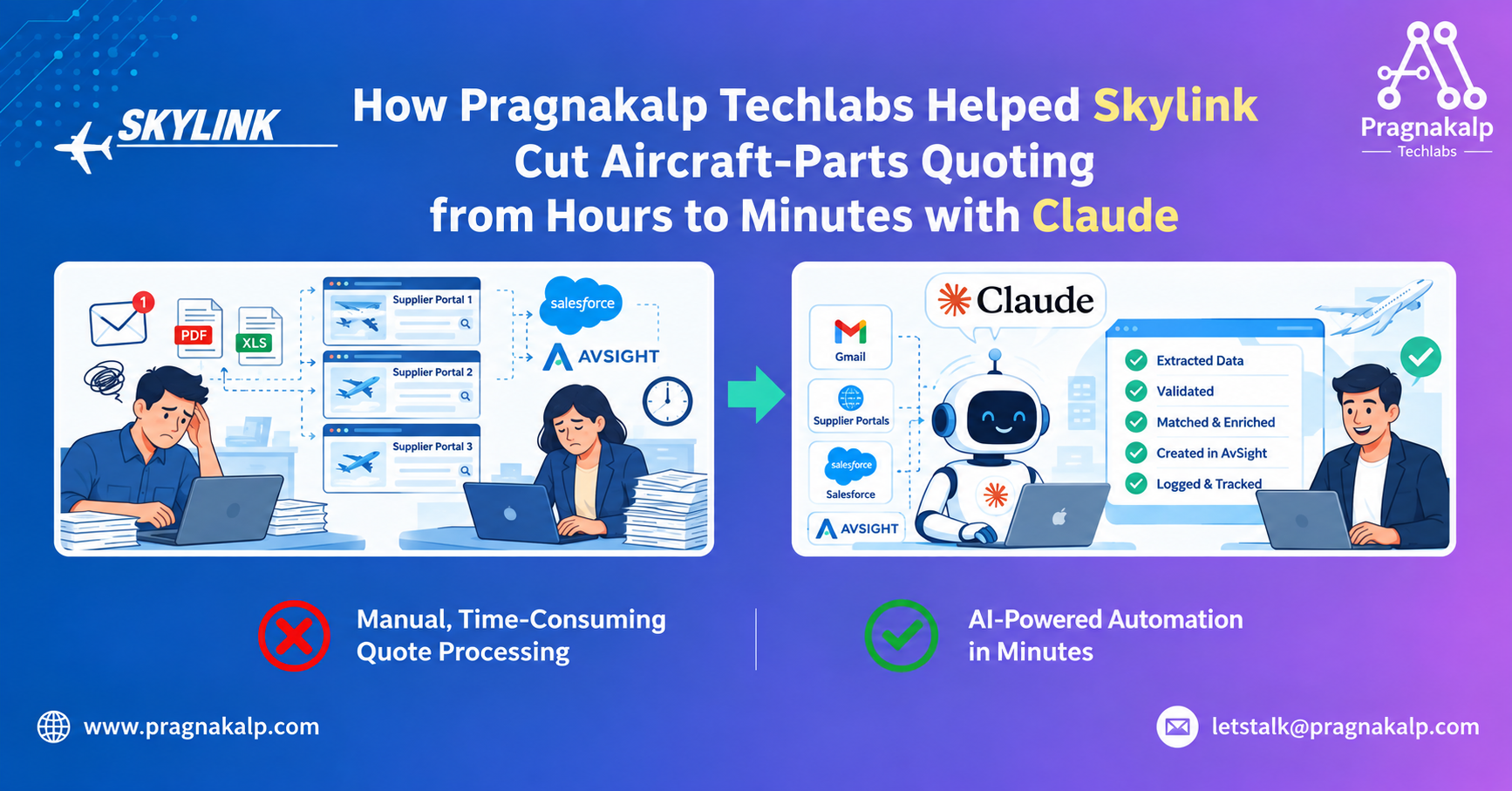
Previously, much of this work was done manually. Employees had to read incoming emails, search supplier websites for parts and pricing, compare information from different sources, and then manually enter the data into Salesforce. Because these tasks were repetitive and time-consuming, the process required significant effort from the team and could slow down how quickly they responded to customers and suppliers.
To address these challenges, Skylink partnered with Pragnakalp Techlabs to design and build Claude-powered solutions that could automate key parts of its email processing, RFQ handling, and supplier parts lookup workflows. Pragnakalp Techlabs worked closely with Skylink to understand its operational processes and technical requirements, and implemented the solution using Claude, integrating it with Skylink’s existing tools and workflows, including Gmail, supplier portals, Salesforce.
Challenges
Skylink faced two major challenges that were taking up a significant amount of its team’s time.
1. Processing incoming vendor emails.
Every day, suppliers sent RFQs and price quotes in different formats. Some included the information directly in the email, while others attached PDF or Excel files. Each supplier also used its own format and layout.
As a result, Skylink’s staff had to manually open each email, review the information, identify important details such as the part number, condition, quantity, unit price, delivery days, and trace source, and then enter everything into Salesforce.
This process was repetitive and time-consuming. It also created opportunities for human error. Emails could be processed twice, missed entirely, or contain incomplete information that was not immediately flagged for review.
2. Finding pricing on supplier portals.
When a buyer needed to prepare a quote, they had to visit supplier websites one by one. For each required part, they logged into the supplier portal, searched for the part number, checked the available quantity, price, condition, and lead time, and then manually copied the information into Salesforce.
A single quote could take one to two hours to complete. Some supplier websites, including Boeing Distribution, also restrict automated access, making it difficult to automate the process using traditional scripts or tools.
Both challenges had the same underlying problem: skilled employees were spending a large part of their time copying and transferring information between emails, supplier portals, and Salesforce. As the volume of requests increased, this manual process became increasingly difficult to manage and scale.
Why Traditional Approaches Were Not Enough
1. Hiring more people
Additional staff could increase capacity, but would also increase costs while keeping the workflow dependent on manual work.
2. Keyword and rule-based automation
Every vendor used different wording, layouts, and file formats, meaning rigid rules could break and require continuous maintenance.
3. Traditional web scraping
Some supplier websites restrict conventional automated access, limiting the effectiveness of standard scraping approaches.
Skylink needed a solution that could understand unstructured information, process multiple file formats, make decisions based on context, and interact with existing systems and supplier portals more intelligently.
Solution
Skylink partnered with Pragnakalp Techlabs as its technology partner to design, develop, and implement AI-powered automation using Claude.
Pragnakalp worked with Skylink to understand its operational processes, email formats, supplier portals, and salesforce integration requirements. The team implemented two Claude-powered solutions.
1. Claude-Powered Email and RFQ Processing
The system monitors Gmail, checks incoming messages for relevance and duplicates, uses Claude to classify and extract information, validates the results, and creates RFQ records in Salesforce.
2. Claude-Powered Browser-Based Parts Lookup
Pragnakalp also developed a browser-based AI agent using Claude Computer Use. The agent works through a real Chrome browser running on a Mac Mini and interacts with supplier portals.
How the Email Processing Workflow Works
1. Monitor Gmail
Incoming vendor emails are picked up from support, sales, and purchasing inboxes.
2. Classify with Claude
Claude identifies whether a message is an RFQ, Quote, No Quote, No Stock, or Other.
3. Extract structured information
Part number, quantity, condition, unit price, lead time, and traceability information are extracted from emails, PDFs, and spreadsheets.
4. Validate and score confidence
Required fields and business rules are checked. Low-confidence or incomplete records are routed for Manual Review.
5. Match and create in Salesforce CRM
The system matches information with Salesforce records and automatically creates RFQ headers and line items in salesforce.
6. Log every result
Processing outcomes are logged so the team can see what was processed and what required review.
How the Browser-Based Parts Lookup Works
Pragnakalp Techlabs also developed a browser-based AI agent to automate the process of finding supplier pricing and availability.
The agent uses Claude Computer Use to work through a real Chrome browser running on a Mac Mini. It stays logged in to supplier portals and interacts with the websites through the browser, similar to the way a Skylink buyer would perform the same tasks manually.
When a buyer uploads an ILS export sheet or a customer inquiry triggers a sourcing request, the system identifies required part numbers and uses ILS to identify suppliers that may carry those parts.
The Claude-powered browser agent then checks the relevant supplier portals and collects price, available quantity, condition, lead time, and direct links to supplier listings.
The results are formatted and sent to salesforce as RFQ line items. Supplier lookups are also saved with timestamps, creating a pricing history that Skylink can use for comparison and benchmarking.
The Results
The Claude-powered automation has helped Skylink reduce the amount of manual work involved in processing vendor communications and sourcing aircraft parts.
60+ vendor emails processed each day automatically
The email workflow handles 2000+ incoming supplier quotation emails per month, creating RFQ headers and line items in Salesforce without manual extraction. Roughly 95% flow through end-to-end, with the remainder routed to Manual Review.
25-30% of email & RFQ processing time recovered
According to Skylink CEO Nate Anglin, 25-30% of the time in email & RFQ processing was previously spent on manual ERP entry. That effort has been eliminated, freeing the Sales, Purchasing, and Supply Chain teams for higher-value work.
Automated supplier portal lookup, end to end
The Claude-powered browser agent logs in to supplier websites on its own, searches each part number, captures pricing and availability, and pushes the results straight into Salesforce – no manual browser work required.
Live in production since July 2026
Supplier lookup results are timestamped, creating historical data for supplier comparison and pricing analysis.
25–30% of the time in a certain process was previously spent on manual ERP entry, according to Skylink CEO Nate Anglin.
Customer Testimonial
“By utilizing Claude and agentic systems, we were able to eliminate this manual activity, so people could invest their time and mental energy into higher-level activities.”
Nate Anglin
CEO, Skylink, Inc.
Conclusion
Skylink’s implementation demonstrates how Claude-powered automation can be integrated into existing operational workflows to reduce repetitive data entry and supplier research.
By combining email understanding, structured extraction, validation, browser-based interaction, and Salesforce integration, Pragnakalp Techlabs helped Skylink move key aircraft-parts quoting activities from manual processing toward AI-assisted operations.
Use Cases
1. Vendor quote and RFQ automation
Process supplier emails and attachments, extract quote information, validate records, and create RFQs automatically.
2. Supplier portal research
Use browser-based AI agents to navigate supplier portals and collect part availability and pricing.
3. Procurement data processing
Reduce repetitive transfer of procurement information between email, supplier websites, CRM systems, and ERP platforms.
4. Exception-based operations
Route incomplete or low-confidence records to human reviewers while allowing validated information to continue automatically.
FAQs
What did Pragnakalp automate for Skylink?
The solution automated key parts of vendor email processing, RFQ extraction and creation, supplier parts lookup, validation, and transfer of structured information into Salesforce.
Can the solution process PDF and Excel attachments?
Yes. The email-processing workflow is designed to extract relevant information from email bodies, PDFs, and spreadsheets.
How does the browser-based agent access supplier portals?
The browser agent uses Claude Computer Use through a real Chrome browser running on a Mac Mini, allowing it to interact with supplier portals through the browser.
What happens when extracted information is incomplete?
Incomplete or low-confidence information is routed to a Manual Review queue rather than being automatically entered without validation.
Does the solution replace Salesforce?
No. The solution integrates with Skylink’s existing Salesforce workflow rather than replacing those systems.
Lorem ipsum dolor sit amet, consectetur adipiscing elit. Ut elit tellus, luctus nec ullamcorper mattis, pulvinar dapibus leo.